

All guides
Browse the Side feed
Posts and how-tos from THN, right in the app.
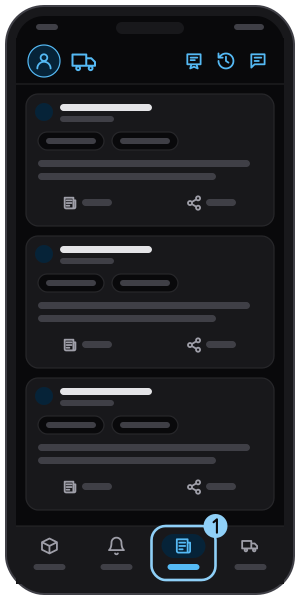
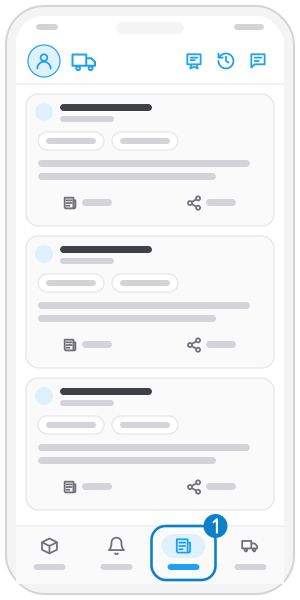
Step 1
Open the "Side" tab
Tap Side in the bottom bar.
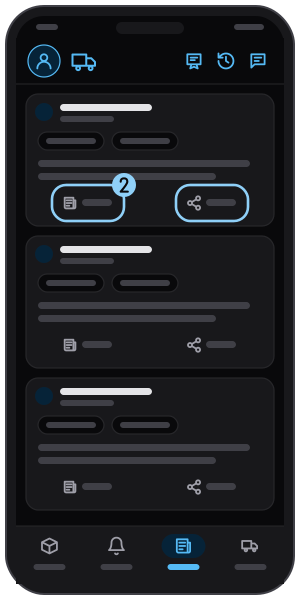
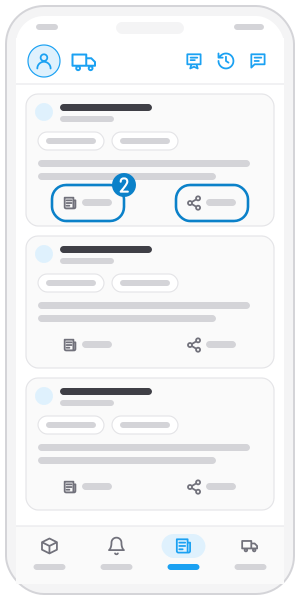
Step 2
Open or share a post
Tap the link button to read, or Share to send it on.
Related guides
Get new-order alerts
Choose how you get alerts and see every matching new order in the Alerts tab.
See your interaction history
Review the calls and quotes you made and reopen the order.
Read system messages
Read the messages THN sends you.
Not on the app yet?
Get Tìm Hàng Nhanh free, with 3 calls or quotes a day.