

All guides
Report a wrong order
Tell THN when the shipper does not answer, the load is taken or the details are wrong.
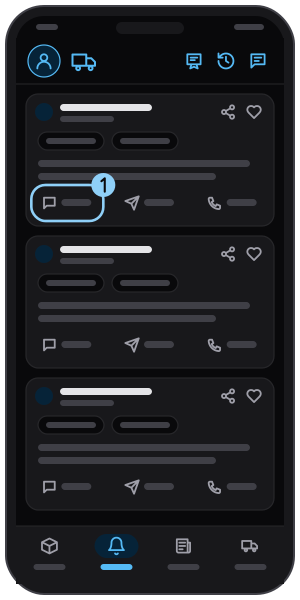
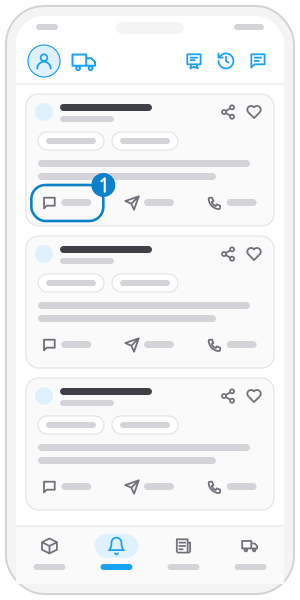
Step 1
Tap "Report"
On an order card, tap Report in the bottom row.
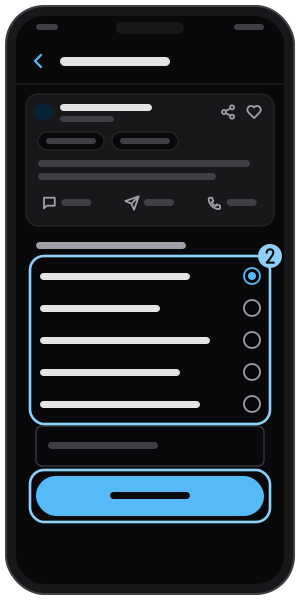
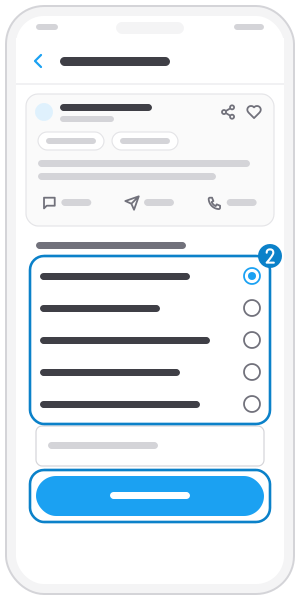
Step 2
Pick a reason and send
Choose a reason, add a description if needed, then tap Report.
Related guides
Open an order and call the shipper
Open an order to see the route, goods and phone, and call the shipper in one tap.
Send a quote to the shipper
Send truck type, price and a note right from the order; the quote also goes out by SMS.
Share an order
Send an order to friends or colleagues through any app.
Not on the app yet?
Get Tìm Hàng Nhanh free, with 3 calls or quotes a day.